Phishing in Plain Sight: The Fake McAfee Invoice Scam You Might Fall For
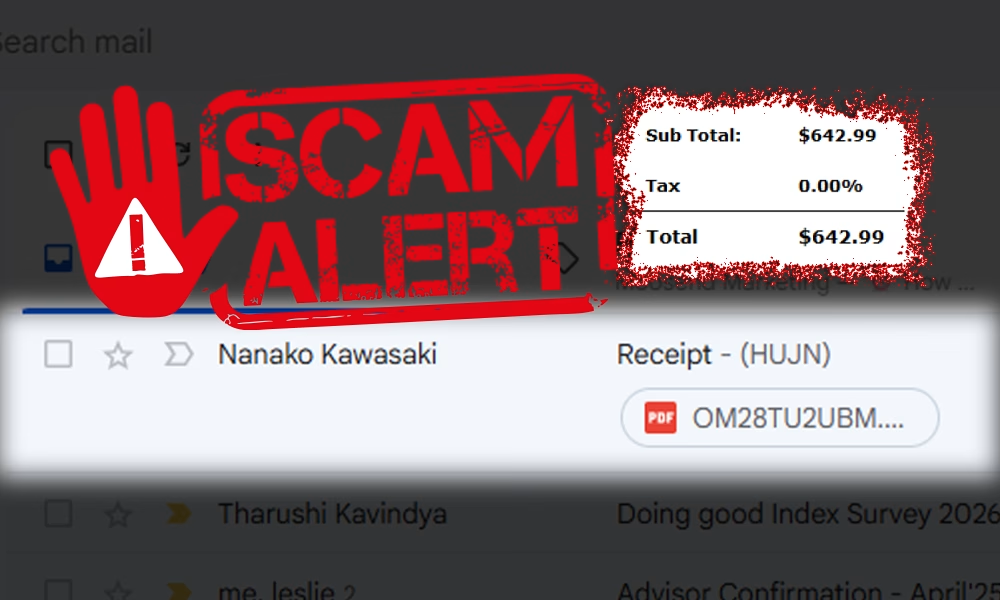
On May 20th, 2025, our inbox received an alarming email: a $642.99 invoice from McAfee, claiming we had been automatically charged for “PC Protection.” It looked legitimate — a clean layout, formal language, a customer service number, even an invoice ID. But there was one major problem:
It was fake.
This wasn’t just a spam email. It was a targeted phishing attempt, part of a broader wave of scams sweeping across Sri Lanka and beyond. As part of our Hacked awareness campaign, we’re breaking down what happened, how these scams work, and what you can do to protect yourself and others.
What the Fake McAfee Email Looked Like
Styled to mimic a real invoice, the email included the following:
- Service: PC Protection
- Amount: $642.99
- Payment Method: Auto-Debit
- Urgency Note: “Call within 6 hours if this wasn’t authorized”
- Support Line: +1 (805) 302-8903
It also came with a thank-you message, refund terms, and what looked like a professional signature block. Everything about the email was designed to do one thing: create panic.

This scam falls into a category known as a tech support phishing scam — one of the fastest-growing and most dangerous forms of digital fraud today.
How This Scam Works — And Why It’s So Dangerous
Unlike classic phishing attempts that rely on suspicious links, this scam doesn’t ask you to click anything at all. Instead, it uses psychological manipulation by asking you to call a phone number.
At first glance, that feels safer — you are the one taking action, right?
But that’s the trick.
When you make the first move, you lower your guard.
Scammers exploit this moment of control. The person who picks up your call sounds professional. They have scripts. They thank you for reaching out. Then, calmly and confidently, they begin to steal from you.
Here’s what often happens once you’re on the line:
- They pose as McAfee or another trusted company
- They claim there’s been a billing issue or mistaken charge
- They offer a refund — but ask for “verification” details
- They request remote access to your device
- They install malware, harvest your information, or drain your bank accounts
These attacks are not random. They’re orchestrated, professional, and often untraceable.
Real Case: Phishing Scam Targets Sri Lankan Bank Users
Cybersecurity consultant Prabath Amila Perera has reported a sharp rise in scams targeting Sri Lankan users. In one case, fraudsters posed as bank officials, sending fake SMS alerts about suspicious account activity.
The messages included a phishing link. When clicked, it led users to a fake login page that looked identical to the bank’s real site.
Victims entered their credentials — and within minutes, attackers accessed their actual accounts, made transfers, and disappeared.
(Source: LinkedIn article by Prabath Amila Perera)
Expert Advice: How to Outsmart Scammers
Cybersecurity professionals agree: these scams don’t work because people are careless — they work because people are panicked, rushed, or isolated when they happen.
Here’s how to protect yourself:
1. If it feels urgent, slow down.
Scammers use panic as a tool. Urgent countdowns, big charges, or threats — all are designed to make you act before thinking. Pause.
2. Never give remote access.
No real company — especially not antivirus software providers — will ask to control your screen just to “verify a payment.”
3. Watch for emotional manipulation.
Fear, guilt, greed, even politeness — scammers know how to push your buttons. If something feels off, it probably is.
4. Always verify from trusted sources.
Don’t call the number or click the link in the message. Look up the official website yourself and check their contact information.
5. You’re not alone — ask for help.
Scams lose power the moment you talk to someone. Forward the message to a friend, your IT team, or us. Take 30 seconds to ask. It could save everything.
Key Red Flags to Watch For
Here’s what often reveals a scam:
- Charges that are too high for the service named
- Vague greetings like “Dear Customer”
- Emails from public domains (e.g., Gmail, Yahoo)
- Demands for OTPs, login credentials, or PINs
- “Urgent” language: “You have 6 hours to respond”
- Unusual payment methods (crypto, gift cards, wire transfers)
- Random phone numbers listed as “customer support”
What to Do If You Receive a Message Like This
If you get an email or SMS that looks suspicious:
- Do NOT call or click anything in the message
- Report it as phishing in your email platform
- Visit the real website of the company and contact them directly
- Talk to someone you trust and get a second opinion
- If it’s from a bank, call their official hotline immediately
📣 A Call to Action – Stay One Step Ahead
Project Hacked is about building a smarter, safer digital community in Sri Lanka. We believe no one should be shamed for being unsure — because the strongest defense starts with asking questions.
Whether you’ve received a suspicious message, almost fell for a scam, or want to help others stay safe — we’re here to listen.
📲 WhatsApp: wa.me/94711177990
📞 Call: 071 117 7990
📧 Email: hackawareteam@gmail.com
Let’s protect each other.
Let’s talk.
Let’s outsmart the scammers — together.
🔐 Stay Informed, Stay Empowered
Scams are evolving. But so are we.
Follow Project Hacked for more real stories, safety guides, and tips you can actually use. Share this article with someone who might need it.
You could be the reason they don’t fall for the next scam.
An Article by the Hackaware Team